Cluster metrics
We're going to enable CloudWatch Container Insights for our EKS cluster using the Amazon CloudWatch Observability EKS add-on. The add-on deploys the CloudWatch agent, which collects metrics related to various aspects of the cluster such as nodes, pods and containers and sends them to CloudWatch.
Under the hood the CloudWatch agent is built on OpenTelemetry. When you enable OTel Container Insights the agent runs an embedded OpenTelemetry pipeline: the AWS Container Insights Receiver gathers node and container telemetry, and the AWS CloudWatch EMF Exporter converts it to CloudWatch Embedded Metric Format (EMF) and sends it to CloudWatch Logs, where the metrics surface in the ContainerInsights namespace. The add-on manages this pipeline for you — there is no collector manifest, Helm chart or DaemonSet to deploy and maintain. The agent runs as a DaemonSet so that one pod runs on each node in the cluster.
Grant the CloudWatch agent permissions
The CloudWatch agent needs IAM permissions to send metrics and logs to CloudWatch. We'll grant them using Amazon EKS Pod Identity, which lets a Kubernetes service account assume an IAM role without any static credentials.
The EKS Pod Identity Agent add-on, a prerequisite for Pod Identity, has already been installed on the cluster for you by prepare-environment.
Create an IAM role that the CloudWatch agent can assume. The trust policy allows the EKS Pod Identity service principal, and we attach the AWS managed CloudWatchAgentServerPolicy:
Associate the role with the cloudwatch-agent service account that the add-on will create in the amazon-cloudwatch namespace:
Enable Container Insights
Now install the amazon-cloudwatch-observability add-on with OTel Container Insights enabled. This is the same add-on installed whether you use the console or the AWS CLI, and it deploys and configures the CloudWatch agent for you:
The otelContainerInsights.enabled configuration turns on OTel Container Insights. It is not enabled by default.
The add-on deploys the CloudWatch agent as a DaemonSet in the amazon-cloudwatch namespace. Confirm the agent pods are running:
NAME READY STATUS RESTARTS AGE
cloudwatch-agent-4frxx 1/1 Running 0 31s
cloudwatch-agent-5rvpc 1/1 Running 0 31s
cloudwatch-agent-tptl7 1/1 Running 0 31s
Because the agent assumes the IAM role through Pod Identity, it can send metrics to CloudWatch immediately. To view them, open the CloudWatch console and navigate to Container Insights:
It may take a 2-3 minutes for data to start appearing in CloudWatch.
 Open CloudWatch console
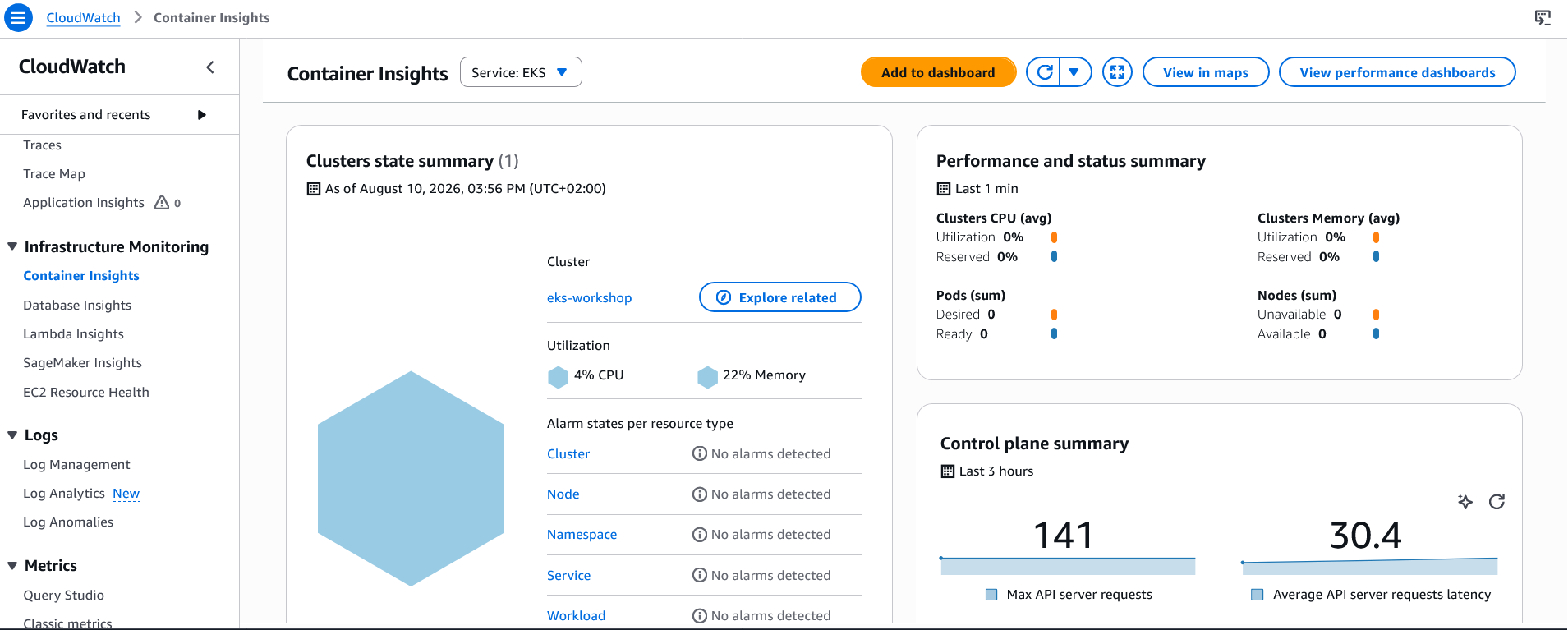
You can take some time to explore around the console to see the various ways that metrics are presented such as by cluster, namespace or pod.